
25.08.09
What Is Resolution? A Simple Guide to the Basics
 Haru
Haru Let's start with pixels
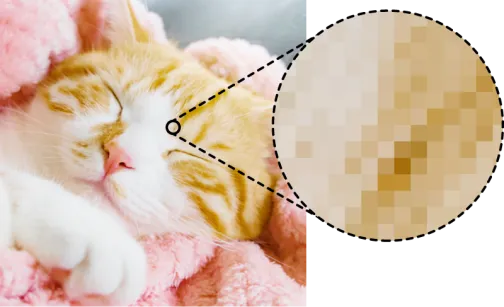
A pixel is one of the tiny dots that make up an image.
Pixels of all different colors come together to form the images we see.
So what is resolution?
It's how crisp and detailed an image is.
In other words, how densely pixels are packed into the image.
ppi and dpi are units of resolution
ppi (pixels per inch)dpi (dots per inch)
These are the units used to describe image resolution.
* Strictly speaking, ppi refers to digital resolution and dpi refers to print output resolution, but in everyday use they're treated as almost the same, so you don't really need to worry about telling them apart.
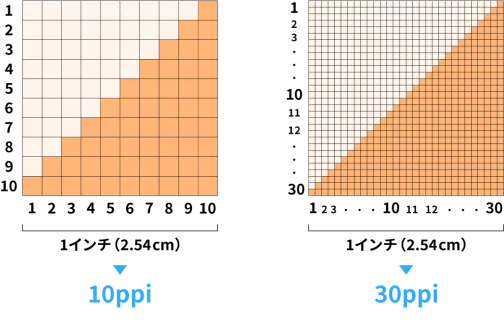
They tell you how many pixels (or dots) fit along a one-inch line (25.4 mm).
The higher the number, the denser the pixels and the sharper the image
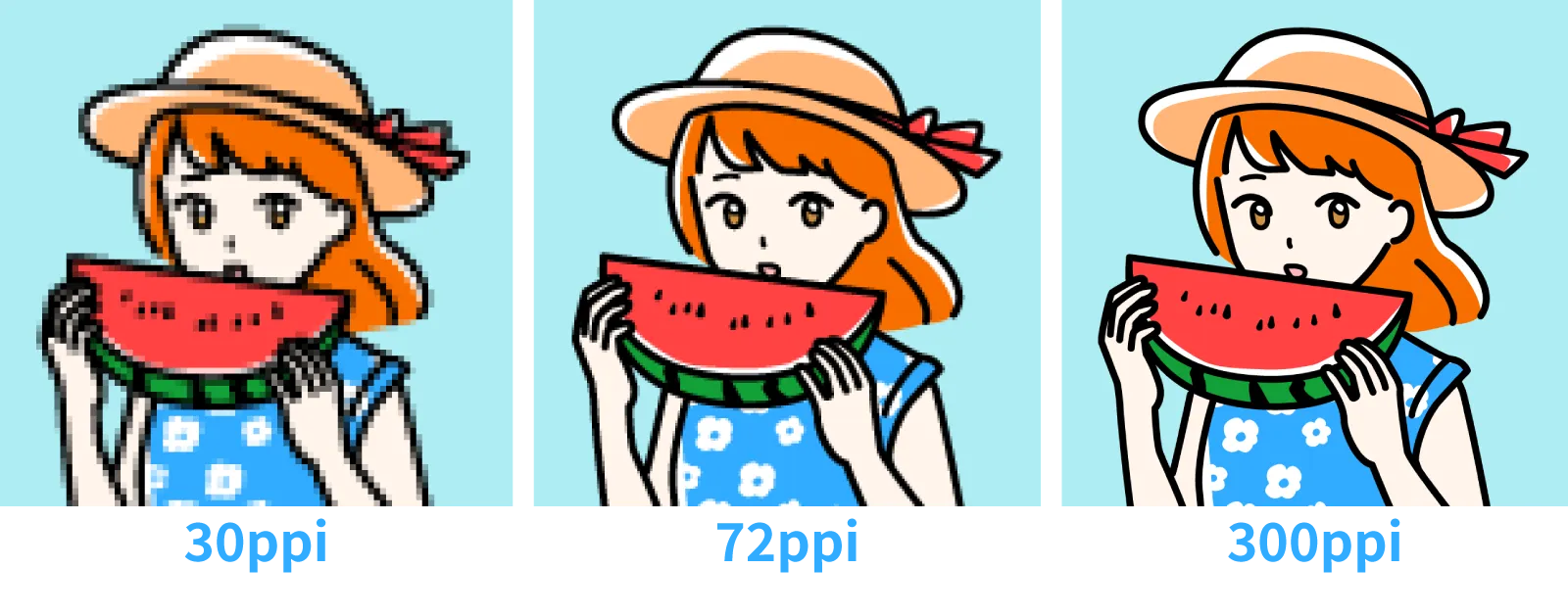
Here's the same image at three different resolutions: 30, 72, and 300 ppi.
As you can see, even when the dimensions are identical, the version with more pixels naturally looks finer and sharper.
Summary
Resolution is about how densely pixels are packed together.
The more there are, the finer and sharper the image looks.
ppi and dpi are units of resolution: 300 ppi means 300 pixels lined up along one inch.
 Related
Illustrator on iPad vs. Desktop: An Honest Look at the Pros and Cons
"Does This Image Have Enough Resolution for Print?" A Simple Calculation Will Tell You.

Why Web Images Aren't Made for Print: Finding the Right Resolution